How to use the final grade calculator
- Enter your current course average, excluding the final.
- Enter the overall course percentage you want.
- Enter the final’s percentage weight and select Calculate.
Already know your exam score? Expand Examples and other calculations and select I Already Took My Final, enter that score instead of a target, and calculate your overall course grade.
How does this work?
The calculator combines your non-final coursework with the final exam using their course weights. A 40% final leaves 60% for previous coursework. Use w = final exam weight ÷ 100 in the formulas.
Calculate Your Final Grade
Required exam score = (target − current × (1 − w)) ÷ w
Example: a current grade of 85%, a target of 90% and a final worth 40% require 97.5% on the exam: (90 − 85 × 0.60) ÷ 0.40 = 97.5.
Calculate Your Course Grade
Course grade = current × (1 − w) + exam score × w
Example: an 85% current average and a 90% final worth 20% give 86% overall: 85 × 0.80 + 90 × 0.20 = 86.
Understanding your result
- Above 100%: a standard final cannot reach the target. Check the maximum course grade shown in your result.
- 0% or less: the target is already secured mathematically, but mandatory exam rules still apply.
- Rounded scores: if rounding could put you below the exact threshold, the result gives a two-decimal score rounded upward.
This tool uses a 0–100% scoring model. It does not apply extra credit, curves, dropped grades or missing assignments. Your syllabus determines passing and letter-grade thresholds.
For category-weighted classes, use a correctly weighted non-final average. If an ungraded final is already counted as zero in your gradebook, adjust the current average before using it here. Read the full assumptions and methodology.
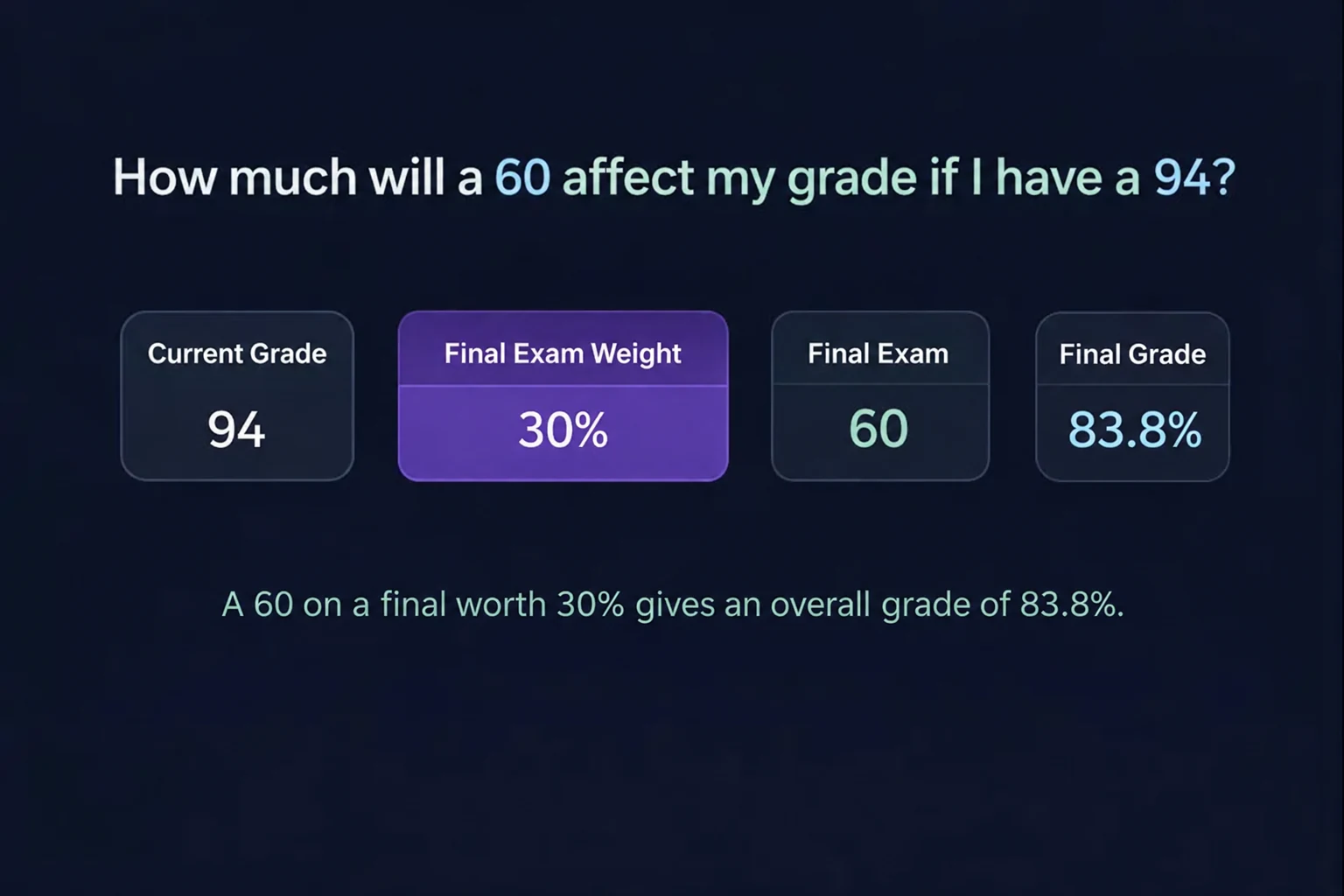
How much will a 60 affect my grade if I have a 94?
With a 94% current course average and a 60% final exam score, your overall grade is 87.2% if the final is worth 20%, 90.6% if it is worth 10%, or 83.8% if it is worth 30%. These results assume your current average excludes the final and no other graded work remains.
To check your result, expand Examples and other calculations and select I Already Took My Final. Enter 94 as your current grade, 60 as your final exam grade, and your final exam weight.
40/50 Grade
A 40/50 grade equals 80%: (40 ÷ 50) × 100 = 80. Whether that is a B or a passing grade depends on your syllabus.
If 40/50 represents your entire current non-final course average, enter 80 as your current grade. If it is one coursework score, combine it with the other completed work using the weighted grade calculator. If it is your final exam score, enter 80 as the exam grade in the completed mode.
Tip: Scores like 40/50, 18/20, or 32/40 all convert to percentages.
Common Score Conversions
Some teachers use point-based grading instead of percentages. Convert a score by dividing points earned by points possible and multiplying by 100:
- (19/20) × 100 = 95%
- (18/20) × 100 = 90%
- (17/20) × 100 = 85%
- (16/20) × 100 = 80%
- (15/20) × 100 = 75%
- (14/20) × 100 = 70%
Use the test grade calculator to convert other point scores. Enter the resulting percentage in the final calculator only when it represents your current non-final course average or your actual final exam result. A single assignment percentage is not automatically your course average.
Frequently Asked Questions
What grade do I need on my final?
Enter your current course average, target course grade and final exam weight. Calculate returns the exam percentage needed when the final is the only remaining graded component.
Can I calculate my grade after taking the final?
Yes. Expand Examples and other calculations, select I Already Took My Final and enter your course average before the final, actual exam score and final exam weight. The result is your overall course percentage.
What if I need more than 100%?
Your target cannot be reached with a standard final scored out of 100%. The result also shows the highest course grade possible with a perfect exam. Extra credit and curves depend on your instructor’s policy.
What if I need 0% or less?
A zero on the final already meets your target under the entered assumptions. You may still have to take the exam or meet a minimum exam score required by your syllabus.
Where do I find my final exam weight?
Check your syllabus or ask your instructor. In a course graded by total points, divide the final’s possible points by all course points, including the final, and multiply by 100. Category-weighted courses must use their syllabus weights.
Can I enter points instead of percentages?
Convert earned points to a percentage using the Test grade calculator. An individual test percentage is not your course average. Use it as the exam score in completed mode only if it is your final exam result.
What if my class uses weighted categories?
Enter the correctly weighted average of completed non-final coursework, normalized to that portion of the course. The Weighted grade calculator can combine separate categories. Do not count assignments again if they are already included in a category average.
Does the calculator assign a letter grade?
The main result is a percentage. Optional what-if results use an example letter scale, or the A, B, C and D thresholds you enter. Your syllabus determines the actual letter grade.
Do you save my inputs?
The final calculator saves up to 10 results and your theme preference locally in this browser when storage is available. Clear all removes saved results. Shared links contain the grades and exam weight, which recipients can see and which may appear in hosting or analytics records.
About this calculator · Report a correction · Privacy policy